|
MantaroBot Classic 2 Features
- No specialized controller hardware is required. Simply install the control application for easy and intuitive control for driving Classic 2 and use it in one of three modes:
- Skype™: controller application will be plugged into Skype™ (no charge)
- MantaroBot Communications Service (MCS): use any available video conferencing application for your touchscreen computer and MCS for controlling the Classic 2(monthly plan required)
- Direct socket connection: use any available video conferencing application for your touchscreen computer. Will work in closed network architectures typical for many enterprise companies(no charge)
- Control Application connects through firewalls and NAT and anywhere a Skype call can be made. It can also connect through a direct socket connection (useful for closed network architectures).
- High Definition Camera with Pan and Tilt control
- Red Laser pointer mounted on the Pan and Tilt control
- Obstacle detecting infrared sensors that automatically reduce speed when obstacle is detected
- Tip detection using three axis accelerometer with automatic stop to prevent tip-over
- High quality external USB microphone
- Password protection access control
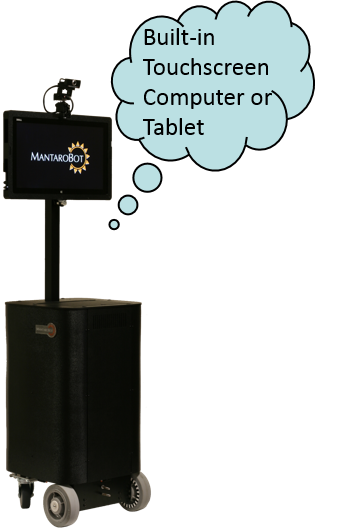
- Dedicated touchscreen computer provides local control interface and display. Currently available touchscreen options:
- Dell™ XPS18 Touch
- HP® Omni 10 Tablet
- Automatic communication link monitoring stops Classic 2 if communication link fails
- Optional Motorized Mast available
- Optional charging Docking Station available
|

|